GST and bookkeeping your accountant will be happy with
Getting the numbers into MechanicDesk is half the job. They also need to be right in Xero. Data Entry Pro works out which lines carry GST, codes each bill to the right expense account, and carries your buying group onto the bill.
Why it's a pain to do by hand
Bills that are out of balance, GST added to a supplier who isn't registered, stamp duty taxed on an insurance bill, everything coded to the same account, the Capricorn buying group left blank. Each one is a fix-up job for your bookkeeper later.
How Data Entry Pro does it
- 1
The AI reads each line's GST (inclusive, exclusive or GST-free) and the invoice's GST total.
- 2
Mixed bills like insurance or rego are worked out like a bookkeeper would: whatever makes the GST match the invoice exactly, with stamp duty GST-free.
- 3
Suppliers that charge no GST get every line marked GST-free.
- 4
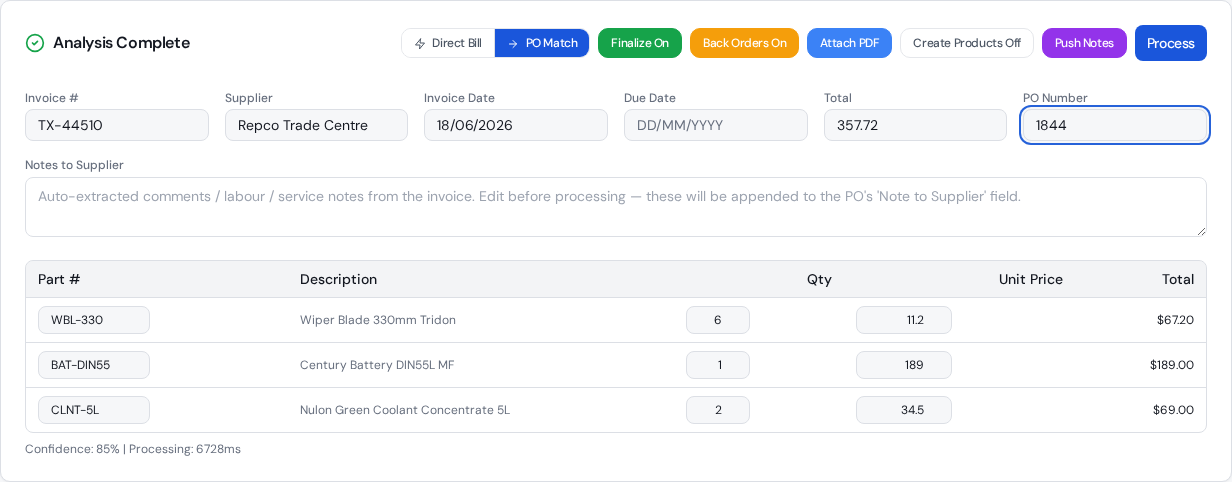
The review screen shows the expense account and each line's GST, with a check against the invoice total, before anything is sent.
What ends up in MechanicDesk
- GST-free lines, mixed-GST bills (insurance, rego, stamp duty)
- Suppliers not registered for GST
- GST check against the invoice on the review screen
- Expense account rules per supplier, or pick one on review
- Buying group / creditor (e.g. Capricorn) carried onto the bill
- Australia (10%) and New Zealand (15%) GST
- Bills that don't balance flagged, never silently entered
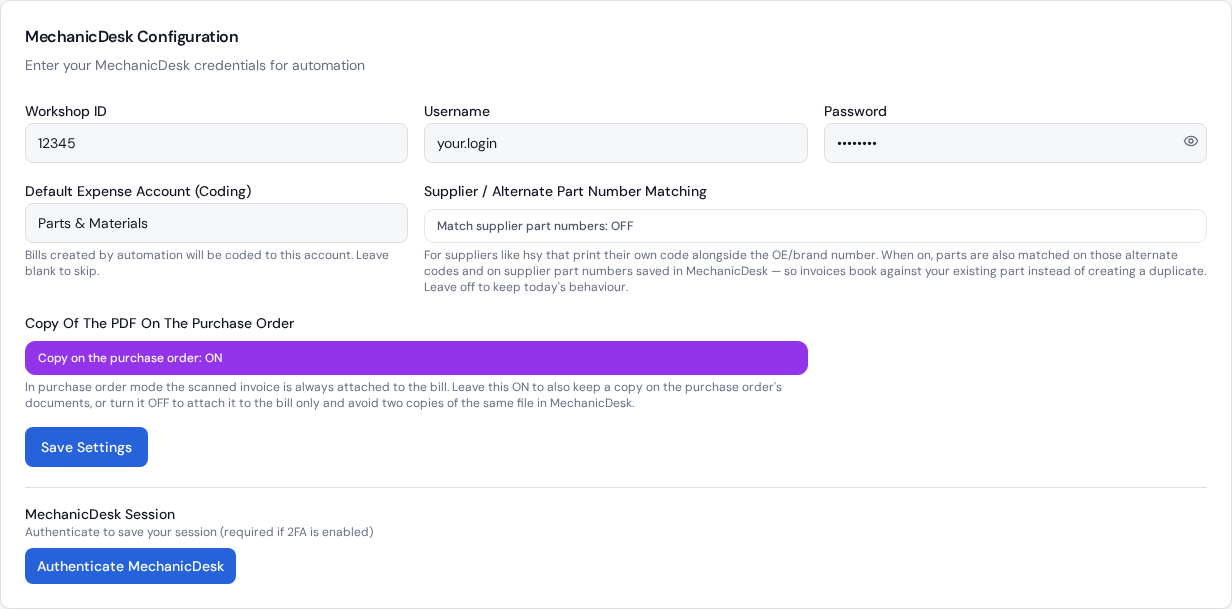
The settings that control it
Country (GST rate)
Australia 10% or New Zealand 15%.
Expense Accounts by Supplier
e.g. NRMA → Insurance, Google → Advertising. Others use your default account.
Remember for this supplier
Tick it on the review screen after changing an account to save it as that supplier's rule.
Frequently asked questions
My insurance invoice shows one GST figure. Can it work out what's taxable?
Yes. It uses the invoice's GST total to work out which lines carry GST (e.g. premium and fees) and which don't (e.g. stamp duty), so the bill matches the invoice to the cent.
Where does the buying group come from?
From the supplier's Creditor / Buying Group set in MechanicDesk, the same as when you create a bill by hand.
Do you support New Zealand?
Yes. Set your country to New Zealand in Settings and GST is read and checked at 15%.
Related workflows
Direct bill automation
No purchase order? Data Entry Pro creates the supplier bill in MechanicDesk straight from the invoice PDF: supplier, reference, dates, every line, expense account and the PDF attached.
Read moreEmail invoice inbox
Every Data Entry Pro account gets its own invoice email address. Set a forwarding rule or give it to your suppliers and invoices arrive ready to check and send to MechanicDesk.
Read moreSupplier credit notes
Data Entry Pro reads supplier credit notes and fills in the matching credit note in MechanicDesk with the correct lines and amounts.
Read moreReady to stop keying invoices?
7-day free trial. 10 invoices on us. No credit card required.