MechanicDesk direct bill automation
Not every purchase has a PO. Over-the-counter parts, consumables, the local supplier you ring up. Direct Bill turns the invoice PDF into a complete MechanicDesk bill without a purchase order in sight.
Why it's a pain to do by hand
Direct bills are quick individually but relentless in volume. Each one is the same typing: find the supplier, enter the invoice number and dates, every line, the total, then attach the PDF. It's the job that piles up on Friday afternoons.
How Data Entry Pro does it
- 1
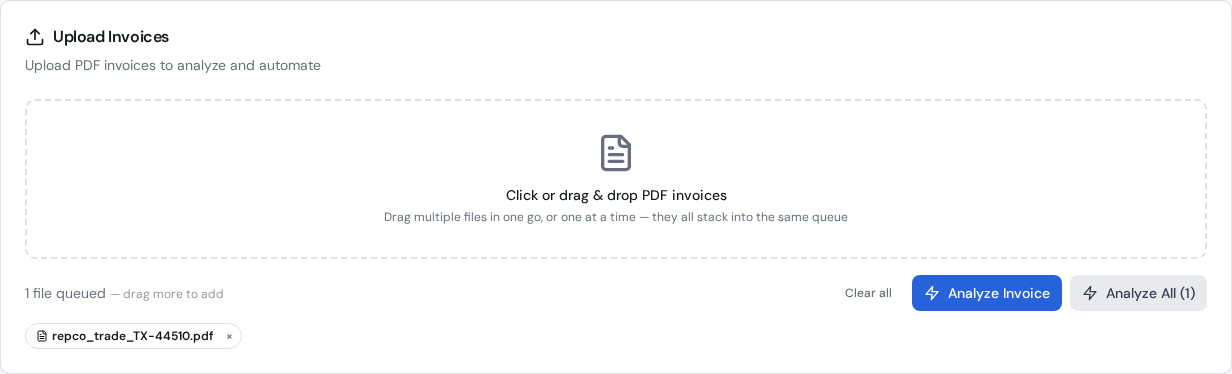
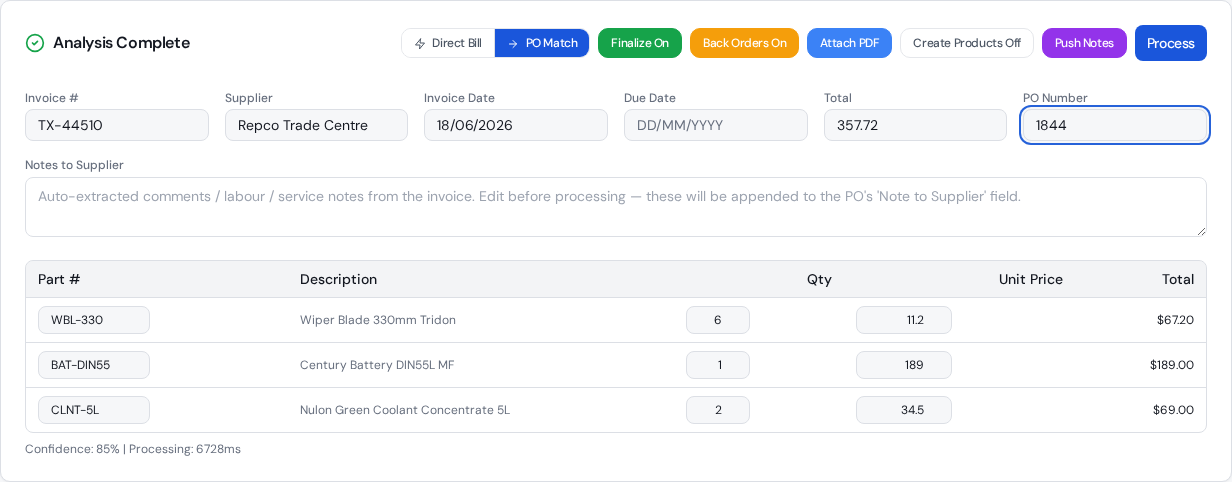
Upload one invoice or a batch, check the extracted lines, and choose Direct Bill.
- 2
Data Entry Pro finds the supplier in MechanicDesk (or creates it) and enters the bill with the supplier's invoice number as the reference.
- 3
Each line is linked to your existing stock item when the part number matches, and freight goes to your FREIGHT item.
- 4
Your default expense account is applied, the PDF is attached, and the bill is finalised or left In Progress, as you choose.
What ends up in MechanicDesk
- Supplier found or created
- Invoice number, invoice date and due date
- Every line item, linked to stock where it exists
- Default expense account applied
- Original PDF attached
- Finalised or left In Progress
The settings that control it
Finalize On/Off
Leave it off for your first few invoices so you can check them in MechanicDesk.
Create Products
Add parts that aren't in your inventory as new stock items instead of plain text lines.
Default Expense Account
In Settings. The account your bills are coded to.
Attach PDF
Attach the invoice PDF to the bill.
Frequently asked questions
How long does a direct bill take?
In our latest test the bill was entered into MechanicDesk in about 5 seconds on average, after about 19 seconds of AI reading. You can keep working while it runs.
What if the supplier isn't in MechanicDesk yet?
Data Entry Pro creates the supplier for you using the details on the invoice.
Can I do a stack at once?
Yes. Upload a batch, check them, and process them together with live progress for each invoice.
Will it double up if I upload an invoice twice?
It checks for an existing bill with that invoice number first, so a repeat doesn't create a duplicate.
Related workflows
Supplier invoice matching
How Data Entry Pro matches supplier invoice lines to your MechanicDesk stock and PO lines, including supplier part numbers, formatting differences and freight, without creating duplicate items.
Read morePurchase order automation
Automate MechanicDesk purchase orders: Data Entry Pro reads the PO number off the supplier invoice, matches every line, updates prices, receives the PO and creates the bill with the PDF attached.
Read moreParts receipting
Receive parts into MechanicDesk from the supplier invoice: correct quantities, latest cost prices and the bill created, with part deliveries and back orders handled.
Read moreReady to stop keying invoices?
7-day free trial. 10 invoices on us. No credit card required.